
Quick Summary
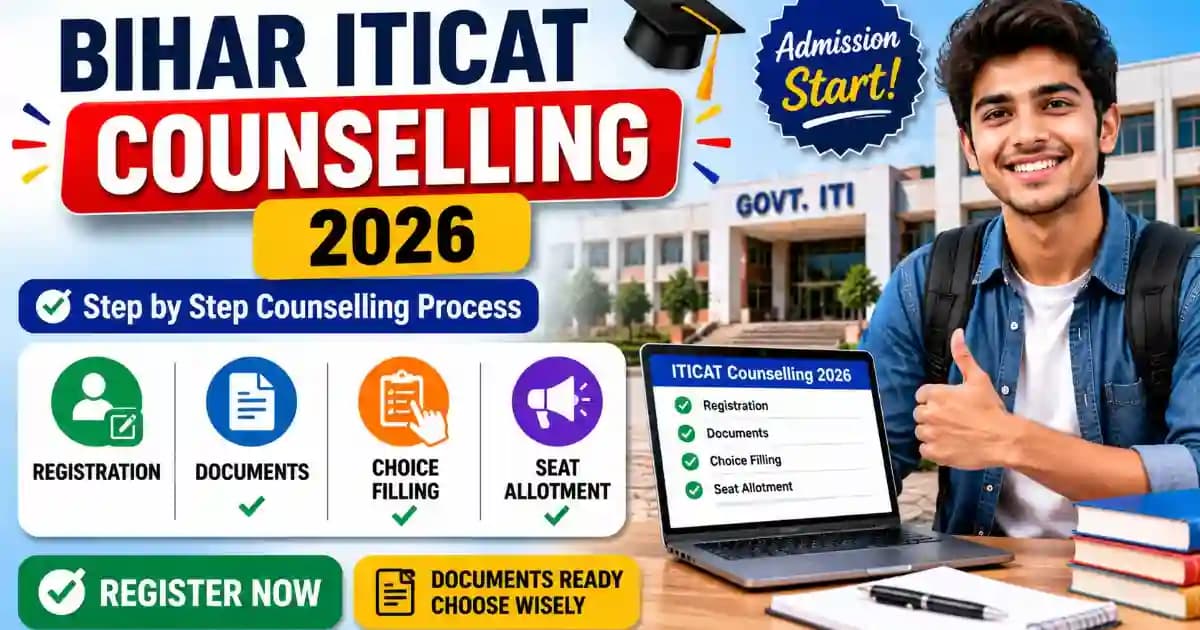
Complete step-by-step guide for Bihar ITICAT Counselling 2026 – how to register, what documents to carry, how to fill choices, and what happens at seat allotment and document verification.
Bihar ITICAT 2026 result is out as of June 4, 2026 — your rank card is ready to download, and counselling is expected to open in the fourth week of July 2026. Missing any single step in the counselling process — registration, choice locking, document verification — can cost you your seat entirely. This guide walks you through every step of ITICAT 2026 counselling in plain language, with the exact buttons, documents, and deadlines you need to know before you sit down at the portal.
What is ITICAT 2026 Counselling – Quick Overview
ITICAT counselling is the online seat-allocation process run by the Bihar Combined Entrance Competitive Examination Board (BCECEB) after the entrance exam result. Your rank card determines which government or private ITI college and trade you can get, based on the preferences you fill during counselling. The entire process — registration, choice filling, seat allotment — happens on a single portal: bceceboard.bihar.gov.in. You report to your allotted college only for document verification and final admission.
ITICAT 2026 Counselling – Expected Schedule
BCECEB has not yet published the official counselling schedule for 2026 as of June 5, 2026. Based on the 2024 and 2025 cycles, the expected timeline is as follows. Check bceceboard.bihar.gov.in/ITICATIndex.php regularly — dates can shift.
| Event | Expected Date (Based on Previous Year Trends) |
|---|---|
| ITICAT 2026 Result & Rank Card Released | June 4, 2026 ✅ (Confirmed) |
| Online Counselling Registration + Choice Filling Opens | 4th Week of July 2026 |
| Last Date for Registration & Choice Locking | 4th Week of July 2026 |
| Round 1 Seat Allotment Result | 3rd Week of August 2026 |
| Round 1 Allotment Letter Download | 3rd Week of August 2026 |
| Document Verification & Admission – Round 1 | 3rd Week of August 2026 |
| Round 2 Seat Allotment Result | 4th Week of August 2026 |
| Document Verification & Admission – Round 2 | 4th Week of August 2026 |
| Mop-Up Round (if seats remain vacant) | September 2026 (Offline, BCECEB Office, Patna) |
Source: BCECEB ITICAT 2026 official notice board and 2025 counselling schedule pattern. Dates marked "Expected" are based on previous year trends and not yet confirmed by BCECEB. Verified as of June 2026.
ITICAT 2026 Counselling – Documents You Need Before You Start
Keep all documents below ready before you open the counselling portal. The portal has a session timeout — if you leave to collect documents mid-registration, your session may expire and you will have to start over. Scan your documents before counselling day if you plan to apply from a mobile or cyber café.
| Document | Required For | Format / Specification | Notes |
|---|---|---|---|
| ITICAT 2026 Rank Card | Online registration + Document Verification (DV) | PDF printout — original | Download from bceceboard.bihar.gov.in using Roll Number and Date of Birth. Carry printed copy to DV. |
| ITICAT 2026 Admit Card | Document Verification | Original printout | Same admit card used during the exam. Do not discard after result. |
| ITICAT 2026 Online Application Form | Document Verification | Printout of Part-A and Part-B | The filled application form submitted during registration. Log in to ITICAT portal to reprint if lost. |
| Class 10 Marksheet (Matriculation) | Document Verification | Original + 2 self-attested photocopies | Must match the name and date of birth on your ITICAT application exactly. |
| Class 10 Pass Certificate / Provisional Certificate | Document Verification | Original + 2 self-attested photocopies | Board-issued certificate. Required as proof of qualification, separate from marksheet. |
| Aadhaar Card | Online registration (OTP) + Document Verification | Original + 1 photocopy | Your registered mobile number must be linked to Aadhaar — OTP is sent to this number during counselling registration. |
| Residential Certificate (Domicile of Bihar) | Document Verification | Original + 2 self-attested photocopies | Must be issued by a competent Bihar government authority (SDO/BDO/Circle Officer). Establishes your Bihar domicile for district quota eligibility. |
| Caste Certificate (SC / ST / EBC / BC) | Document Verification (if applicable) | Original + 2 self-attested photocopies | Must be Bihar government issued. OBC/EBC candidates also require a current Non-Creamy Layer (NCL) certificate. |
| EWS Certificate | Document Verification (if applying under EWS) | Original + 2 self-attested photocopies | Must be issued for the current financial year (2025–26). Old EWS certificates are not accepted. |
| Character Certificate | Document Verification | Original (from last school attended) | Issued by the principal or headmaster of the Class 10 school. Not older than 6 months. |
| Passport Size Photographs | Document Verification + Admission | 6 copies — same photo as on ITICAT admit card | White background. Take from the same batch used for the exam application. Mismatched photos can cause delays at DV. |
| Provisional Allotment Order | Document Verification (after seat allotment) | 3 printed copies — downloaded from counselling portal | Available only after seat allotment result is published. Download immediately. Your name and reporting centre date are printed on it. |
| Online Counselling Choice Slip | Document Verification | Printed copy of locked choices | Print immediately after you lock your choices. This is your proof of what preferences you submitted. |
| Verification Slip | Document Verification | 2 printed copies | Downloaded from the BCECEB counselling portal along with the allotment order. Do not confuse with the choice slip. |
| Disability Certificate (PwD) | Document Verification (if applying under PwD quota) | Original + 2 self-attested photocopies | Must be from a government hospital. Trade eligibility for PwD candidates varies — check the official brochure. |
| Ex-Serviceman / Serviceman Quota Certificate | Document Verification (if applicable) | Original + 2 self-attested photocopies | Applicable if father/guardian is an ex-serviceman applying under SMQ quota. |
Source: BCECEB ITICAT official counselling document list (based on 2024–25 notifications) and IndCareer ITICAT 2026 counselling guide. Verified as of June 2026. Document requirements may be updated in the official 2026 counselling notification — cross-check at bceceboard.bihar.gov.in before reporting.
ITICAT 2026 Counselling – Step-by-Step Registration & Choice Filling Process
The entire registration and choice filling process happens on the BCECEB portal in a single window. Do not close the browser or log out between steps. Use a stable internet connection — the portal is hosted on a government server and can be slow during peak hours.
- Download Your Rank Card First (Do This Before Registration Opens): Go to bceceboard.bihar.gov.in and click the "ITICAT-2026 Rank Card" link on the Notice Board. You will see two options: "Open Merit Rank Card" and "District Wise Rank Card". Download both by entering your Roll Number and Date of Birth. Print both copies. Your Open Merit rank is your state-level rank. Your District Wise rank is your position within your home district — and this is often a smaller number that gives you a better shot at your district's ITI under the District Quota (DQ). You need both at registration.
- Open the Online Counselling Portal on the BCECEB Website: Once counselling registration opens (expected 4th week of July 2026), go to bceceboard.bihar.gov.in. On the ITICAT Notice Board, click the link labelled "Online Counseling Portal of ITICAT-2026". This will open the registration and choice filling portal — it is separate from the main BCECEB site and may open in a new tab. Do not mistake the main BCECEB login for the counselling portal.
- Click "New Registration" and Register Yourself: On the counselling portal login page, click the "Click here for New Registration" link. Enter your ITICAT 2026 Roll Number, Date of Birth, and Registered Mobile Number as prompted. You will receive an OTP on your registered mobile number — enter it within 60 seconds to verify. Create a password (minimum 8 characters — use a mix of letters and numbers). Save your User ID and Password immediately — BCECEB will not reset your password under any circumstances.
- Log In and Fill Your Personal and Academic Details: After registration, log in using your User ID and the password you just created. Enter the Security PIN shown on screen (case-sensitive). You will see a multi-section form — fill your personal details, confirm your category (General / SC / ST / EBC / BC / EWS / PwD / SMQ), and confirm your district of domicile. These determine which ITI codes and seats are available to you. Do not leave any field blank — incomplete profiles cannot proceed to choice filling.
- Go to Choice Filling and Add Institute + Trade Combinations: After completing your profile, click "Choice Filling" from the menu. You will see a searchable list of all participating government and private ITIs in Bihar with the trades available at each. Search by district or ITI name. For each combination you want, click "Add" — it moves to your preference list. Add as many combinations as possible, in the order you want them. Your first choice should be your most-wanted college + trade. Add at least 20–30 combinations, including realistic safety choices for ITIs where your rank comfortably fits.
- Rearrange Your Preferences in Priority Order: Once all choices are added, drag or use the up/down buttons to arrange them from most-preferred (top) to least-preferred (bottom). The system assigns your seat based on the highest preference where your rank qualifies. A long, well-ordered list is better than a short list — if your top 5 choices are taken, the system moves automatically to choice 6, 7, and so on. Do not leave out government ITIs further down the list just because they are not your first choice.
- Lock Your Choices Before the Deadline: After arranging all preferences, click "Lock Choices". An OTP will be sent to your registered mobile — enter it to confirm the lock. Do not close the browser until you see the confirmation screen that says your choices are locked. Take a screenshot of the confirmation. Print your Choice Slip (the locked preference list) immediately — you will need to carry it to document verification. If you do not lock manually by the deadline, the last saved version is auto-locked — but do not rely on this. Lock it yourself.
- Check Seat Allotment Result (Round 1): Log in to the counselling portal on the Round 1 allotment date (expected 3rd week of August 2026). Click "View Allotment Result". Your allotted college and trade will be shown. Download the Provisional Allotment Order — print 3 copies. Your allotment order will mention the reporting centre, reporting date, and documents to carry for document verification (DV). If you are not allotted in Round 1, you automatically participate in Round 2.
- Choose: Freeze (Accept) or Float (Try for Upgrade in Round 2): After Round 1 allotment, you will see two options — "Freeze" and "Float". If you are happy with your Round 1 seat, click Freeze. You then report for DV at the designated centre within the specified dates. If you want to try for a better choice in Round 2, click Float — your Round 1 seat is held until Round 2 results are out. If Round 2 gives you a better choice, your old seat is released. If not, your Round 1 seat is retained. You must select an option within the deadline — leaving it blank results in seat cancellation.
- Report to the Allotted College / Reporting Centre for Document Verification: On the date mentioned in your Provisional Allotment Order, physically report to the designated centre for Document Verification (DV). Carry all original documents plus 2–3 sets of self-attested photocopies. After DV, your admission is confirmed at the allotted ITI. Complete the admission formalities at the ITI (fee payment, ID card, etc.) within the dates specified by the institute. Your admission is final only after this step.
Updated June 2026
ITICAT 2026 Counselling – Common Problems & Solutions
These are the problems candidates most commonly face during ITICAT counselling registration and choice filling. Each problem below has a confirmed fix — check the one you are facing.
| Problem | Likely Cause | Fix |
|---|---|---|
| OTP not received on mobile during registration | Network issue, DND (Do Not Disturb) activated, or wrong number registered | Wait 2 minutes — BCECEB portal OTPs can take time on high-traffic days. If still not received, check if your number has DND (Promotional SMS block) active — call 1909 to deactivate. Click "Resend OTP" only once — multiple clicks can block the number temporarily. Try after 10 minutes on Jio or Vi networks specifically. |
| Session expired / logged out during choice filling | Slow internet, inactivity on the page, or browser cache issue | Log back in immediately. Any choices you had saved (but not locked) before logout may still be in your account — check before re-adding. Clear browser cache (Ctrl+Shift+Delete) before logging in again. Use a stable Wi-Fi or 4G connection. Do not leave the choice filling page idle for more than 10 minutes. |
| Portal not loading / blank screen | Server overload during peak registration hours or browser compatibility | Try at off-peak hours — before 9 AM or after 10 PM. The BCECEB portal gets heavy traffic in the first 2–3 days of registration. Switch from Chrome mobile to Chrome desktop or Firefox. Clear cache before loading (Ctrl+Shift+Delete). Do not register on the last day — server load peaks and the portal often slows further. |
| Password forgotten / cannot log in | Password not saved after registration | Click "Forgot Password" on the counselling login page. Enter your Roll Number and Registered Mobile Number — an OTP will be sent to reset the password. BCECEB has stated explicitly that they will NOT reset passwords — the "Forgot Password" link is the only option. If you cannot access your registered mobile number, contact BCECEB helpdesk immediately with your application details. |
| Choices not showing for a specific ITI or trade | Seats in that combination already full, or trade not available for your category | If a trade at a specific ITI does not appear in the choice list, that trade's seats may have zero remaining, or the trade is not available for your eligibility bracket (e.g., Mechanic Motor Vehicle for candidates under 17). Try searching by ITI name to see all available trades at that institute and add an alternative combination. |
| Choice lock confirmation not received after locking | OTP not entered within time limit or browser closed before confirmation | Log in again and check your "My Choices" section — if your choices are showing as "Locked", the process is complete. If they show as "Saved" (not locked), repeat the lock step. Do not assume choices are locked just because you clicked the button — only a locked status confirmation and a printable Choice Slip confirm it. |
| Name or date of birth mismatch error at DV | Details in ITICAT application do not match the marksheet exactly | If your name on the ITICAT application has a spelling difference from your marksheet (e.g., a space, extra initial), carry an affidavit (notarised) confirming both names refer to the same person. An official letter from your school principal also helps. Contact BCECEB office in Patna before DV if the discrepancy is significant — do not wait until you are at the reporting centre. |
| Allotment order not downloading after Round 1 result | Server traffic spike immediately after result publication | Wait 1–2 hours after the allotment result is published — the portal is hit by thousands of simultaneous download requests. Try at an off-peak time (early morning). If the PDF fails to generate, use a different browser or clear your downloads cache. Do not wait until the last day of the download window — download on the first day itself. |
Problems and fixes based on official BCECEB counselling guidelines, ITICAT 2024–25 candidate reports, and standard BCECEB portal behaviour. Verified as of June 2026.
After ITICAT 2026 Seat Allotment – What Happens Next
Getting the allotment is not the last step — your seat is not final until you complete document verification and pay the admission fee at the allotted ITI within the specified window.
After you download your Provisional Allotment Order, your order will carry the name and address of your reporting centre (which may be the allotted ITI itself or a BCECEB-designated nodal centre), the exact reporting dates, and a checklist of documents to carry. You must physically report on the date mentioned — no extensions are given for individual candidates who miss the DV date. Missing DV causes immediate seat cancellation, and the seat goes back into the pool for the next round.
At the reporting centre, officials verify all your original documents against your application details. They will also conduct biometric verification (fingerprint scan in most centres). After verification is complete, you pay the first-year course fee at the ITI and collect your admission letter. Keep all receipts — you will need them for scholarship applications later.
ITICAT 2026 – Seat Reservation Breakdown
Seats in government ITIs are distributed across categories. Your category rank (shown on your rank card) is used for category-wise allotment. The 75% District Quota means three-quarters of seats at each government ITI are reserved for candidates whose home district matches the ITI's district — this is your biggest advantage if you want a college near your home.
| Category | Reservation | Notes |
|---|---|---|
| General (UR / Open Merit) | 40% | All categories compete; highest rankers get these seats first |
| Scheduled Caste (SC) | 16% | SC category rank applies. Caste certificate must be Bihar government issued |
| Scheduled Tribe (ST) | 1% | ST category rank applies. Seats are fewer — early registration is critical |
| Extremely Backward Class (EBC) | 18% | Also requires Non-Creamy Layer (NCL) certificate for the current year |
| Backward Class (BC) | 12% | Also requires Non-Creamy Layer (NCL) certificate for the current year |
| Economically Weaker Section (EWS) | 10% | EWS certificate must be for financial year 2025–26. Older certificates not accepted |
| Reserved Category Girls (RCG) | 3% | Horizontal reservation for girls within reserved categories |
| District Quota (DQ) | 75% of seats per ITI | For candidates whose home district matches the ITI district. District rank determines allotment in this quota |
| PwD (Disability Quota) | 4% (horizontal) | Applied horizontally across all categories. Trade eligibility restrictions apply |
Source: BCECEB ITICAT official information brochure and sarvgyan.com ITICAT 2026 admission procedure (March 2026). Reservation percentages follow Bihar government norms. Verified as of June 2026.
ITICAT 2026 Counselling – Official Links
| Resource | Official Link |
|---|---|
| BCECEB Official Portal (Rank Card, Counselling, Notices) | bceceboard.bihar.gov.in |
| ITICAT 2026 Notice Board (Rank Card, Counselling Schedule, Allotment) | bceceboard.bihar.gov.in/ITICATIndex.php |
| Online Counselling Portal (Opens in July 2026) | admissions.nic.in/Bihar |
Updated June 2026
Bihar ITICAT Counselling 2026 – Frequently Asked Questions
ITICAT 2026 counselling kab se shuru hogi? (When does ITICAT 2026 counselling start?) +
ITICAT 2026 counselling July 2026 ke chauthe hafte mein shuru hone ki sambhavna hai — result 4 June 2026 ko aa chuka hai. BCECEB ki official website bceceboard.bihar.gov.in par counselling schedule ka official notice jald aayega. Roz bceceboard.bihar.gov.in/ITICATIndex.php check karte rahein — schedule bina notice ke badal sakta hai jaise 2025 mein hua tha.
Can I change my choices after locking in ITICAT counselling? +
No. Once your choices are locked, you cannot change them before the Round 1 seat allotment. The lock is confirmed by OTP — it is final. You can edit your choices any number of times before locking, but the locked version is what goes to allotment. If you are not satisfied with the Round 1 allotment, you can opt for Float (upgrade) in Round 2, but you cannot change your original locked choices — the system reassesses them against remaining Round 2 seats automatically.
What is the counselling fee for ITICAT 2026? +
BCECEB has not yet published the official counselling fee amount for 2026 as of June 2026. Based on previous years, a counselling registration fee is charged at the time of online registration — amount varies by category (General candidates pay more than SC/ST candidates). Fee must be paid online through the counselling portal. The official 2026 fee amount will be mentioned in the counselling schedule notice on bceceboard.bihar.gov.in — do not pay any fee to unofficial sources.
What happens if I miss the document verification date after seat allotment? +
Missing document verification results in immediate and permanent cancellation of your allotted seat. No individual extensions are provided. Your seat goes back into the pool for subsequent rounds. If seats are still available in a later round, you may participate — but your previously allotted seat cannot be recovered. Report to DV on the date printed on your Provisional Allotment Order, even if you face travel difficulties. Contact the reporting centre in advance if there is a genuine emergency.
What is the difference between "Freeze" and "Float" in ITICAT counselling? +
Freeze means you accept your Round 1 allotted seat and will not try for a better choice — you then go directly to document verification and admission. Float means you retain your Round 1 seat but also participate in Round 2 hoping for a higher-preference allotment. If Round 2 gives you a better choice, your Round 1 seat is released. If Round 2 does not improve your allotment, your Round 1 seat is automatically retained and you must then report for DV. You must choose Freeze or Float within the deadline — leaving it blank cancels your seat.
How many choices should I fill during ITICAT counselling? +
Fill as many choices as possible — minimum 20, ideally 30 or more. Your top 5–10 should be your genuinely preferred college + trade combinations. Choices 10–30 should be realistic safety options at government ITIs where your rank clearly qualifies based on previous year cutoffs. A long preference list protects you: if your top choices are taken, the system automatically moves to the next in your list. Candidates who fill only 5–8 choices and do not qualify for any of them are left unallotted in Round 1.
Is ITICAT 2026 counselling fully online? +
Yes — registration, choice filling, choice locking, seat allotment, and allotment order download are all fully online through bceceboard.bihar.gov.in. The only offline step is Document Verification (DV), which you must attend in person at the designated reporting centre on the date printed in your Provisional Allotment Order. The Mop-Up Round (if conducted) is also offline — held at the BCECEB Board Office at IAS Sangh Bhawan, near Patna Airport.
What is District Quota (DQ) in ITICAT counselling and how do I use it? +
District Quota (DQ) means 75% of seats in each government ITI are reserved for candidates from that ITI's district. Your District Wise Rank Card shows your rank within your home district — this is often a much smaller number than your state rank, giving you a stronger chance at your local ITI. During choice filling, when you select an ITI in your home district, the system automatically evaluates you under DQ using your district rank. You do not apply separately for DQ — it is applied automatically based on your domicile.
My OTP is not coming during counselling registration — what do I do? +
Wait 2 full minutes before clicking Resend OTP — BCECEB portal OTPs are slow during peak registration traffic. Check if your number has DND (Do Not Disturb / Promotional SMS block) active — dial 1909 from the number and follow the menu to deactivate promotional blocking. If you are on Jio or Vi, network delays can cause OTPs to arrive after 5–10 minutes. Do not click Resend OTP multiple times — back-to-back requests can temporarily block the OTP. If OTPs fail consistently, try from a different network (borrow a Wi-Fi or switch SIM temporarily for that step).
Can I participate in ITICAT 2026 Mop-Up Round if I did not appear in Round 1 or Round 2? +
Yes. The Mop-Up Round is open to all candidates who qualified ITICAT 2026 — including those who did not register for Round 1 and Round 2. It is held offline at the BCECEB Board Office, IAS Sangh Bhawan, near Patna Airport. Candidates must submit their willingness online within the window BCECEB announces, and then appear in person with all original documents on the scheduled date. Mop-Up allotment is based on merit and remaining seat availability only — you cannot specify preferences in advance.